Project Overview
The File Organizer is a Python application built with Tkinter that helps users automatically sort their files into categorized folders based on file extensions. It features a simple graphical interface that allows users to select a folder and organize its contents with a single click.
This project was developed to solve the common problem of cluttered download or document folders. Instead of manually creating folders and moving files, this application automates the entire process while maintaining the ability to undo changes if needed.
The application includes a comprehensive categorization system, undo functionality through logging, and error handling to ensure files aren't lost during the organization process.
Key Features
Smart File Categorization
Automatically sorts files into predefined categories (Images, Documents, Videos, etc.) based on their extensions.
Undo Functionality
Maintains a log of all file movements, allowing users to revert changes with a single click.
User-Friendly GUI
Built with Tkinter for a clean, intuitive interface that works across Windows, macOS, and Linux.
Customizable Categories
Easily modify the FILE_CATEGORIES dictionary to add new file types or change existing categories.
Application Screenshots
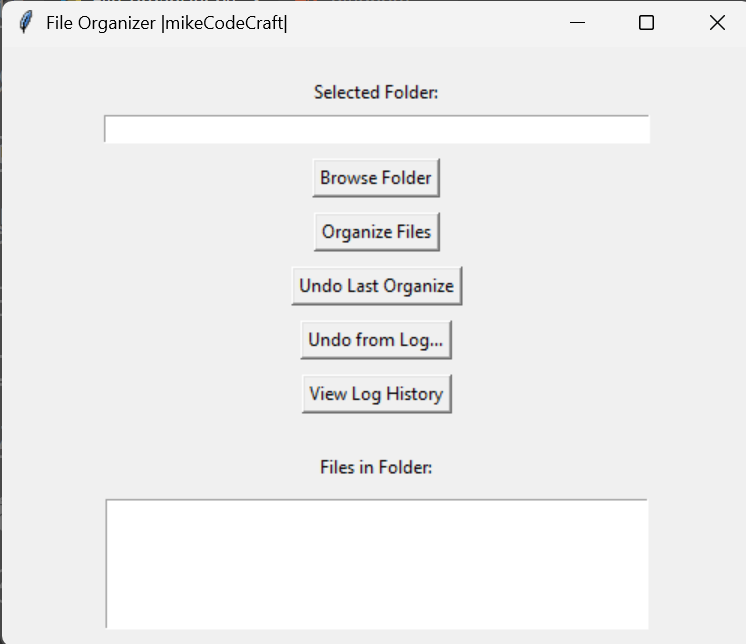
File Organizer Main Interface
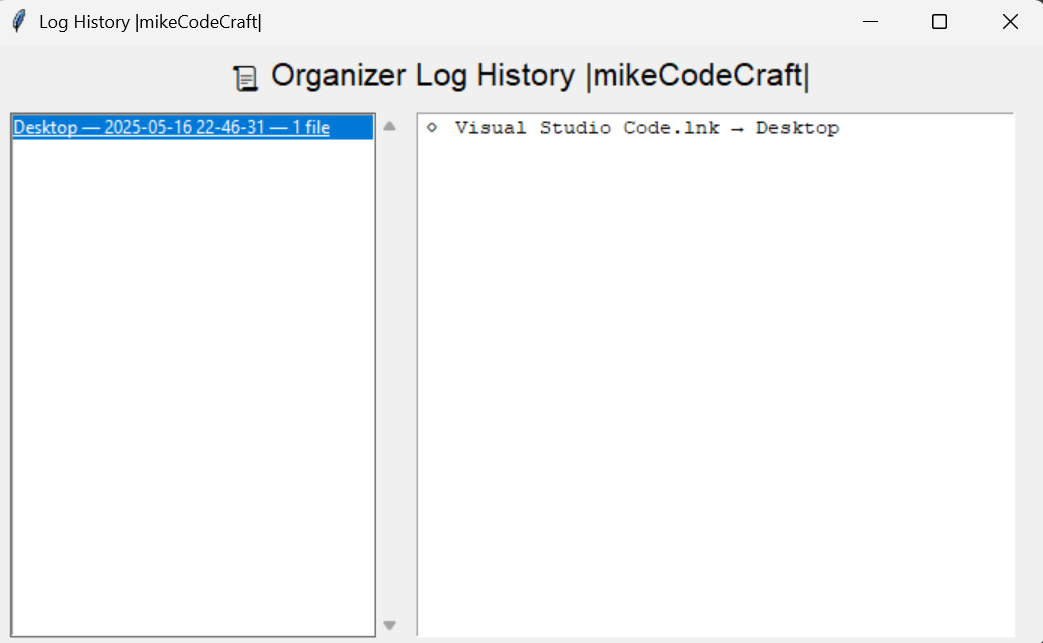 This is the list of files you organized
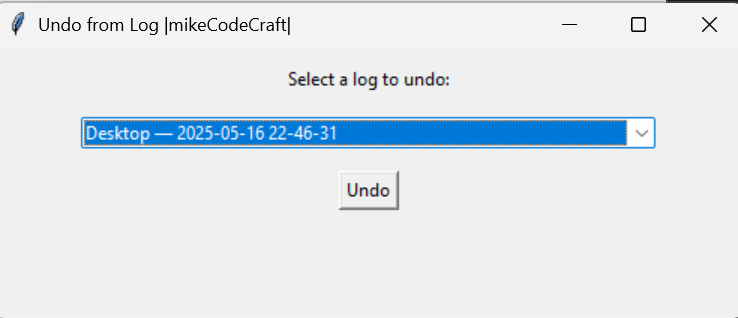
You can choose what you want to undo from log and undo the organize
Supported File Categories
Images
Documents
Videos
Audio
Archives
Code
Installers
Others
Any file with an extension not in the above categories will be moved to an "Others" folder.
Installation & Usage
Prerequisites
- Python 3.6 or higher
- Tkinter (usually included with Python)
Running the Application
# Clone the repository
git clone https://github.com/mikeCodeCraft/Python_Mini_Projects.git
cd file-orgs

# Run the application
python file_organizer.py
How to Use
- Click "Browse Folder" to select the folder you want to organize
- View the list of files in the selected folder
- Click "Organize Files" to automatically sort files into categories
- If needed, use "Undo Last Organize" to revert changes
Code Highlights
File Categorization Logic
FILE_CATEGORIES = {
        "Images": [".jpg", ".jpeg", ".png", ".gif", ".bmp", ".svg"],
        "Documents": [".pdf", ".docx", ".doc", ".txt", ".pptx", ".xlsx", ".odt"],
        "Videos": [".mp4", ".mkv", ".mov", ".avi", ".flv"],
        "Audio": [".mp3", ".wav", ".aac", ".flac"],
        "Archives": [".zip", ".rar", ".7z", ".tar", ".gz"],
        "Code": [".py", ".js", ".html", ".css", ".java", ".c", ".cpp", ".json"],
        "Installers": [".exe", ".msi", ".dmg", ".deb"],
    }
File Organization Function
def organize_files():
    path = folder_path.get()
    if not path:
        messagebox.showwarning("No Folder", "Please select a folder first.")
        return

    moved_files = {}  # Track moved files for undo functionality

    try:
        for filename in os.listdir(path):
            file_path = os.path.join(path, filename)

            if os.path.isfile(file_path):
                file_ext = os.path.splitext(filename)[1].lower()
                moved = False

                # Check each category for matching extension
                for category, extensions in FILE_CATEGORIES.items():
                    if file_ext in extensions:
                        new_path = move_file_to_category(file_path, path, category)
                        moved_files[new_path] = file_path  # log: new → old
                        moved = True
                        break

                # If no category matched, move to "Others"
                if not moved:
                    new_path = move_file_to_category(file_path, path, "Others")
                    moved_files[new_path] = file_path

        # Save undo log
        with open("organizer_log.json", "w") as f:
            json.dump(moved_files, f)

        messagebox.showinfo("Success", "Files have been organized!")
        list_files(path)  # Refresh file list
    except Exception as e:
        messagebox.showerror("Error", f"Failed to organize files:\n{e}")
Undo Functionality
def undo_organize():
    if not os.path.exists("organizer_log.json"):
        messagebox.showinfo("Nothing to Undo", "No organization log found.")
        return

    try:
        with open("organizer_log.json", "r") as f:
            moved_files = json.load(f)

        # Move files back to their original locations
        for new_path, original_path in moved_files.items():
            if os.path.exists(new_path):
                shutil.move(new_path, original_path)

        # Remove the log file after undo
        os.remove("organizer_log.json")

        messagebox.showinfo("Undo Complete", "Files moved back successfully.")
        list_files(folder_path.get())  # Refresh file list
    except Exception as e:
        messagebox.showerror("Error", f"Undo failed:\n{e}")
Project Details
Status
Completed (Active Maintenance)
Technologies
Tags
Challenges & Solutions
Cross-Platform Compatibility
Used Python's built-in Tkinter for the GUI to ensure the application works on Windows, macOS, and Linux without modification.
Undo Functionality
Implemented a JSON-based logging system that records all file movements, enabling reliable undo operations.
Error Handling
Added comprehensive try-catch blocks to prevent crashes and provide user-friendly error messages.
Future Enhancements
Add support for custom category definitions through a configuration file
Implement a preview feature before actually moving files
Add support for organizing files based on creation/modification dates
Create an executable version for easy distribution